How to Set Up Your Kid’s First Phone (And Avoid the Mistakes Most Parents Make)
You’ve made the decision. Maybe your kid has been asking for two years. Maybe their friends all have phones now. Maybe their walk home from school has gotten longer and you want them reachable. Whatever got you here, you’re about to hand a smartphone to a 10, 11, or 12-year-old, and you have a feeling that the next 6 to 12 months will set the tone for everything that comes after.
That feeling is right. The way a first phone gets set up, in the first few weeks, shapes the kid’s relationship with technology for years afterward. Most parents focus on screen time minutes and miss the bigger setup work around settings, agreements, and ongoing routines. Those are the things that make the screen time conversation a lot easier six months from now.
Here are five things to do in the first 30 days of your kid’s first phone that almost no one talks about.
1. Set up the phone settings before they ever hold it
Most parents skip this step and regret it later. By the time the phone is in the kid’s hand, accounts are created, apps are downloaded, preferences are set. Trying to undo any of that later feels like punishment to them.
Do all of the following before the phone is theirs:
- Turn off almost all notifications. Texts from family stay on. Most other notifications turn off by default. You can let them turn things back on later if there’s a good reason.
- Set up Screen Time (iPhone) or Digital Wellbeing (Android) with a passcode they don’t know. The passcode ensures that any change to limits happens after a conversation between the two of you, rather than unilaterally.
- Schedule grayscale mode to kick in at night. Color is one of the things apps use to grab attention, so removing it at night makes the phone less compelling.
- Disable in-app purchases entirely.
- Set up Find My or Family Link so you know where the phone is.
The conversation when you hand them the phone goes like this: “Here are the settings I set up. We can change any of them, but we’ll talk first.”
2. Decide on phone-free zones before there are arguments about them
Phone-free zones are places and times where the phone simply doesn’t go. The three that matter most are the bedroom at night, the dinner table, and the homework space.
The bedroom is the biggest one. The single most important habit to build with a first phone is that it sleeps somewhere else. The kitchen, the living room, the hallway, anywhere outside the kid’s bedroom. The research on phones in bedrooms and sleep quality is overwhelming and consistent.
Don’t introduce this as a rule a week in, after your kid is already used to scrolling in bed. Introduce it on day one as just “how phones work in our house.” The phone has a charging spot, and that’s where it lives at night. Setting up the expectation upfront is much easier than reversing a habit later.

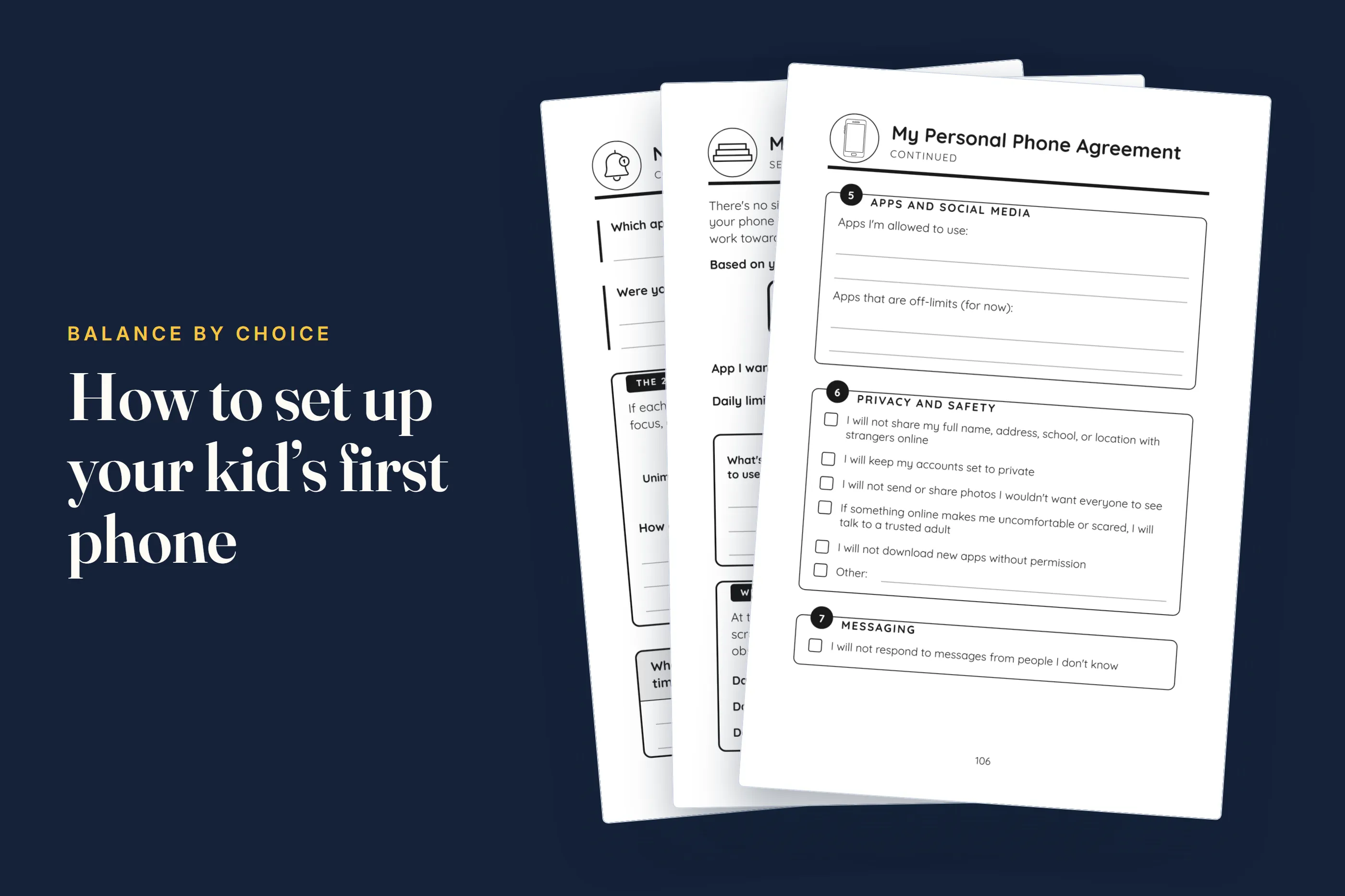
3. Write a phone agreement together (and yes, your kid signs it)
A phone agreement is a written document that both you and your kid help create. It covers what the phone is for, when it gets used, when it doesn’t, what happens if the agreement gets broken, and when you’ll revisit it.
This approach works better than parent-imposed rules because when your kid helps write the agreement, they own it. They negotiated some of the terms. They proposed some of the consequences. When they break the agreement, they have to reckon with their own signature on it, not just your enforcement of it.
A good first phone agreement covers:
- Daily limits and which apps they apply to
- Phone-free zones and times
- Privacy expectations on both sides (what you can and can’t see)
- Consequences that both sides agreed to
- A schedule for revisiting the agreement, usually monthly at first
The first agreement won’t be perfect. The point is having something to revise, not getting it right out of the gate.

4. Talk about how phones are actually designed before they get one
This is the most-skipped step, and it’s the one that probably matters most over the long run.
Your kid is about to start using apps that were designed by teams of engineers whose specific job is to make those apps hard to put down. Infinite scroll, variable rewards, notification timing, algorithm tuning, all of it is deliberate. Your kid doesn’t know any of this going in.
If they go in blind, every minute they can’t put their phone down feels like a personal failure to them. If they go in knowing how the manipulation works, they can name it when they feel it. “I’m in a dopamine loop right now” is a thought a 12-year-old can absolutely have, but only if someone has explained dopamine loops to them first.
Spend an hour, or even just 30 minutes, walking through it. Explain why apps are free (because you’re the product, not the customer). Show them what infinite scroll is and why it exists. Talk about how notifications are timed to keep you checking. You want them to be informed users from day one.
5. Plan the first check-in before you need it
Most parents do a great job in the first week, when the phone is new and everyone is paying close attention. Then real life takes over. School gets busy. The agreement gets forgotten. By week three, the bedroom rule has slipped, the screen time is creeping up, and nobody is talking about it anymore.
The fix is simple. Schedule the first check-in before you need one. Put it on the calendar for two or three weeks out. Make it casual. Fifteen minutes, maybe over a snack, just looking at the actual screen time data together. What’s working? What isn’t? What needs to change in the agreement?
Check-ins prevent both slow drift (habits gradually loosening) and sudden snap (everything blowing up at once). They make phone management an ongoing conversation instead of a periodic crisis.
When you want a structured plan instead of figuring it out alone
The five things above are the foundation. Putting them into practice while you’re also doing the rest of parenting is a lot. The settings checklists, the actual phone agreement template, the conversation guides, all of it has to come from somewhere.
That’s why I wrote Your First Phone: A Kid’s Guide to Healthy Habits, a guidebook for kids ages 10 to 14 that walks them through the first 30 days of phone ownership themselves, with their parents alongside.
It’s structured as a four-part journey: how phones actually work (so the kid understands the design tactics before they get hooked), a week-by-week setup plan, real strategies for the long haul, and check-in tools that keep things on track. There are Parent Corner sections in every chapter with conversation starters and practical guidance for you. There’s a phone agreement template the kid fills out themselves. There’s even a self-assessment for the moments when things are starting to feel off.
The reason the guidebook is structured for the kid, rather than as another parenting book, is that kids who feel ownership of the process buy in. Kids who feel like rules are being done to them push back. The content is similar either way, but how it lands is completely different.
You can check it out on Amazon here.
A first phone is one of the few moments in your kid’s growing up where the patterns set in the first month genuinely matter for the next several years. Most parents only realize this in hindsight, after the habits are already entrenched and the conversations have already gotten harder. The chance to do the work upfront is yours to take.